
EasyMarketPro
Business Workflow Automation Services
Connect the applications your team already uses into a coordinated process, with AI only where interpretation is needed.
Book a Discovery CallWhere this helps
Manual handoffs between forms, email, spreadsheets, and business applications create duplicated work and make it difficult to see where a process has stalled.
Process mapping
Document triggers, steps, data requirements, decisions, and exceptions before automating.
Application integrations
Connect supported APIs and webhooks, transform data, and validate records between systems.
Workflow logic
Implement conditional routing, scheduled actions, approvals, and AI processing where appropriate.
Recovery and monitoring
Add execution history, retries, notifications, and manual exception handling.
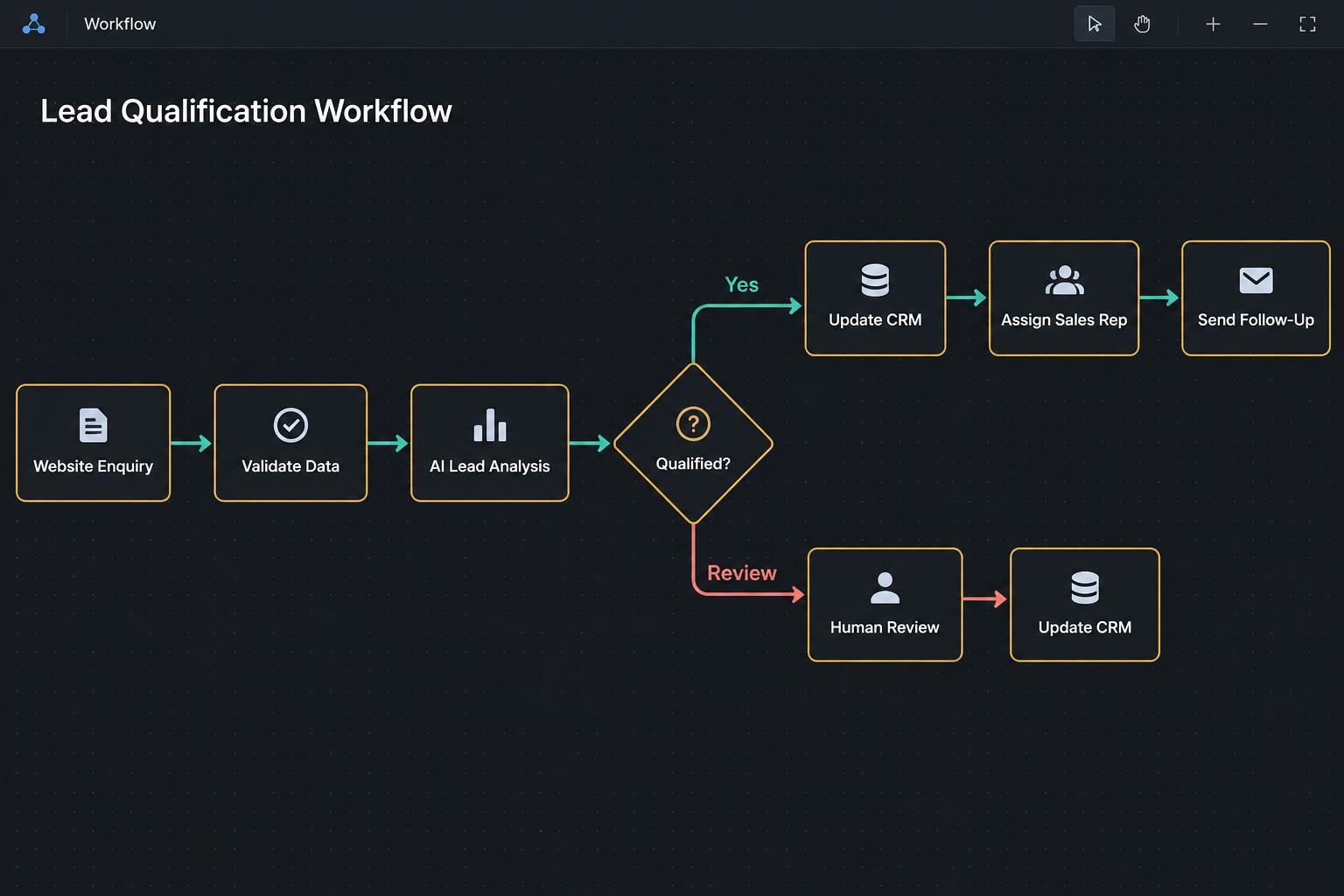
Example workflow
A website enquiry triggers validation and AI analysis. Qualified leads update the CRM and reach a sales representative; uncertain cases go to human review before the next action.
What implementation involves
01
Discover
We review the process and define the scope. We need: Your current process, application access, sample inputs, business rules, and exception scenarios.
02
Build and test
We design the integrations, workflow logic, validation, and review paths, then test realistic inputs and exception scenarios.
03
Deploy and improve
We deploy into the agreed environment and define monitoring, ownership, and maintenance needs. Scope and costs depend on the process and integrations.
Human oversight and safeguards
Financial actions and sensitive decisions can require approval. Failed integrations and uncertain outputs need a defined recovery path.
How to measure improvement
Establish a baseline before implementation, then compare completion rates, processing time, duplicate records, manual steps, and recurring exceptions.